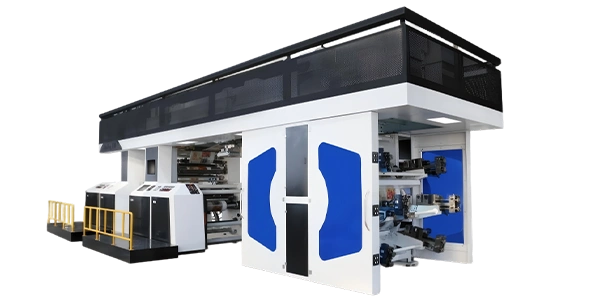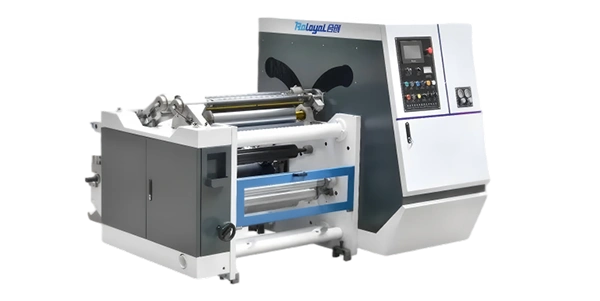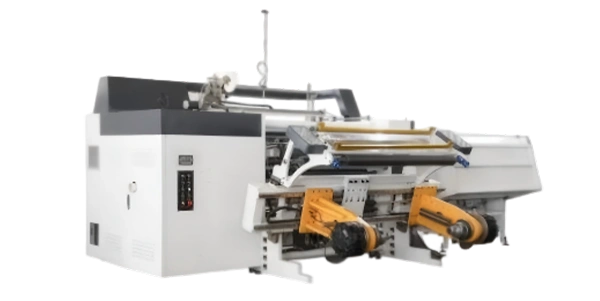


 Home
Home


For further details, please contact us.
Contact Us
You are evaluating flexo printing machines, and the spec sheets all look similar—speed, color count, web width. Yet two machines with nearly identical specifications can produce very different print quality on the same job. The difference is not in the headline numbers; it is in the components that make up each printing station.
Understanding what each component does—and how different configurations perform—is essential to making an informed equipment decision. A press that excels on heavy solids may struggle with fine halftones if the anilox roller is not matched to the application. A press with a poorly designed doctor blade system may deliver inconsistent color from start to finish. A printing unit that is difficult to access may add hours of downtime during job changeovers.
This guide focuses on the three core assemblies that determine print quality and production efficiency: the anilox roller, the doctor blade system, and the printing unit. Rather than explaining the printing process step by step, this guide takes a component-first approach—examining how each part is constructed, what options are available, and how to select the right configuration for your application.
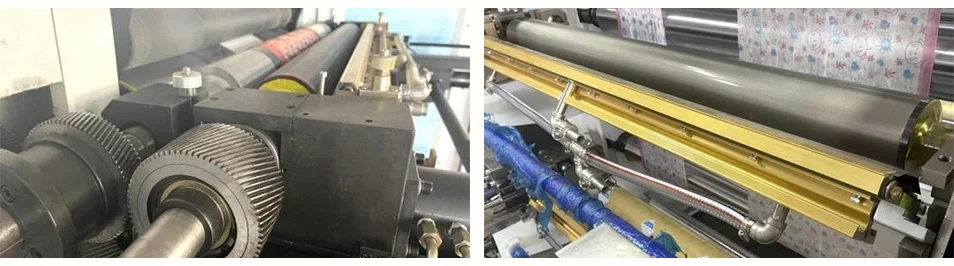
The Anilox Roller – Construction, Types, and Selection
The anilox roller is the component that determines how much ink is delivered to the printing plate. It directly controls ink film thickness, color density, and dot reproduction. Selecting the wrong anilox roller for your application will compromise print quality regardless of how capable the rest of the press is.
Construction
An anilox roller is a cylinder whose surface is engraved with a pattern of microscopic cells. These cells act as tiny ink reservoirs. The cylinder is typically made of steel or aluminum, with a ceramic coating applied to the surface. The cells are created using laser or mechanical engraving—laser engraving is the modern standard because it produces more consistent cell geometry.
Key parameters of anilox roller construction:
| Parameter | What It Means | Impact on Printing |
|---|---|---|
| Cell volume (BCM) | Billions of Cubic Microns—the total ink-holding capacity of the cells | Higher BCM = more ink (for solids); lower BCM = less ink (for fine detail) |
| Line count (LPI) | Lines per inch—the number of cells per linear inch | Higher LPI = finer ink control (for halftones); lower LPI = heavier ink laydown |
| Cell angle | The angle at which cells are engraved | Affects ink release and doctoring efficiency |
| Ceramic coating thickness | The thickness of the ceramic layer | Affects roller durability and resistance to wear |
Types of Anilox Rollers
In the flexo industry, two main types of anilox rollers are available:
-
Chromium-plated rollers: Traditional option with lower cost but shorter service life. The softer surface wears more quickly, especially when running abrasive substrates or inks.
-
Ceramic rollers: Modern standard. The ceramic coating is extremely hard—typically 1,200–1,400 HV (Vickers hardness)—providing excellent wear resistance and corrosion resistance. Ceramic rollers maintain their cell geometry longer, delivering consistent print quality over extended production runs.
Selection Criteria
Choosing the right anilox roller requires matching the cell volume to your application:
| Application | Recommended BCM Range | Reasoning |
|---|---|---|
| Solid coverage (large areas of unbroken color) | Higher BCM (e.g., 8–12 BCM) | Needs more ink volume to achieve full opacity |
| Fine text and halftones | Lower BCM (e.g., 2–4 BCM) | Needs less ink to prevent filling-in and dot gain |
| Combination jobs (solids + halftones) | Mid-range BCM (e.g., 5–8 BCM) | Compromise selection; may require testing |
In practice, many converters keep multiple anilox rollers for the same press and change them based on the job. Press designs that allow quick anilox roller changeover—such as those with a petal structure—reduce downtime between jobs.
For an overview of press configurations that support different applications and component options, explore the flexo printing machine series.
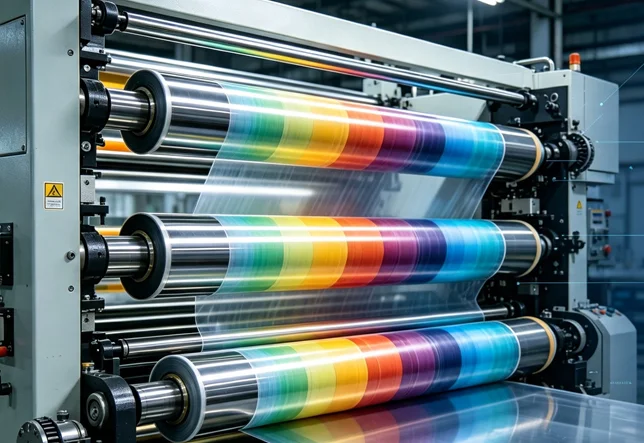
The Doctor Blade System – Types and Functional Comparison
If the anilox roller meters the ink, the doctor blade system ensures that metering is consistent. The doctor blade wipes excess ink from the surface of the anilox roller, leaving ink only in the engraved cells.
Doctor Blade Types
Two main types of doctor blade systems are used in flexo printing:
Conventional (Open) Doctor Blade Systems
-
The blade presses against the anilox roller from the outside
-
Ink is supplied from an open fountain or pan
-
The blade removes excess ink from the surface
Key characteristics:
-
Lower initial cost
-
Simpler design
-
More ink exposure to air (evaporation)
-
More prone to ink splashing and mess
-
Less consistent ink supply at high speeds
Enclosed Doctor Blade Systems (Chambered)
-
A chamber surrounds the anilox roller, with blades on both sides
-
Ink is circulated through the chamber under pressure
-
The chamber design contains the ink supply
Key characteristics:
-
Higher initial cost
-
Reduced solvent evaporation: The sealed chamber keeps solvents from evaporating, which is critical for solvent-based and water-based inks
-
Stable ink supply: Dual diaphragm pumps maintain consistent ink delivery
-
Cleaner operation: No splashing, less ink waste
-
Better performance at high speeds: Consistent ink pressure across the roller
Comparison Summary
| Feature | Open Doctor Blade | Enclosed Chamber |
|---|---|---|
| Ink evaporation | High | Low |
| Ink splashing | Present | Minimal |
| Consistency at speed | Moderate | High |
| Maintenance complexity | Simple | Moderate |
| Suitability for solvent inks | Limited | Excellent |
Blade Material Considerations
Doctor blades are available in different materials, each with trade-offs:
-
Steel blades: Durable and cost-effective; can cause wear on the anilox roller if pressure is too high
-
Plastic/polymer blades: Softer, reducing anilox roller wear; shorter service life
-
Ceramic-tipped blades: Long service life; higher cost
The doctor blade system must be properly adjusted to maintain consistent ink film thickness. Excessive blade pressure can damage the anilox roller and the blade; insufficient pressure results in ink flooding on the plate. Some modern presses feature automatic blade pressure control to maintain consistent pressure throughout the run.
The Printing Unit – Architecture and Configuration Options
The printing unit—also called the color deck or printing station—is the complete assembly where ink is transferred from the anilox roller to the substrate. It includes the anilox roller, the doctor blade system, the plate cylinder, and the impression cylinder.
Printing Unit Components
The plate cylinder holds the flexible photopolymer printing plate. Key features to evaluate:
-
Locking mechanism: Hydraulic or mechanical? Hydraulic systems provide more precise and repeatable positioning, reducing setup time for repeat jobs.
-
Repeat length range: What range of print repeat lengths can the cylinder accommodate? Some presses offer a set of cylinders for different repeat lengths; others use sleeve technology for quick changes.
-
Run-out tolerance: The cylinder must run true; any run-out (wobble) will cause registration errors.
The impression cylinder presses the substrate against the inked plate. Key features to evaluate:
-
Surface condition: The cylinder surface must be smooth and concentric. Any defects will create uneven pressure.
-
Pressure control: How is impression pressure set and maintained? Mechanical stops or automatic pressure control?
-
CI configuration: In CI presses, a single large-diameter drum serves as the impression cylinder for all units; the drum is often water-cooled to maintain temperature stability.
Printing Unit Arrangements by Press Type
Different press architectures arrange printing units differently—which affects changeover speed, registration accuracy, and application suitability:
| Press Type | Unit Arrangement | Key Characteristic | Best For |
|---|---|---|---|
| CI Flexo | Units around central drum | All units share one impression drum; water-cooled for stability; ±0.075mm registration | Thin films, high-volume runs |
| Inline Flexo | Horizontal line | Each unit has its own impression cylinder; modular; 2 servo motors per unit; ±0.1mm registration | Labels, frequent changeovers |
| Stack Flexo | Vertical stack | Each unit independent; can disengage individual units; ±0.1mm registration | Paper packaging, cost-conscious |
| Bridge-Type | Separate sections | Independent unwind, print, drying, rewind; long drying path up to 5m; ±0.15mm registration | Wide webs, nonwoven, kraft paper |
Quick-Change Features
For operations with frequent job changes, the time required to change printing unit components directly affects production efficiency. Look for:
-
Petal structure: Some inline presses feature a petal structure that allows anilox and plate rollers to be changed in seconds rather than minutes
-
Sleeve technology: Plate sleeves slide onto the cylinder, eliminating the need to lift heavy cylinders
-
Automatic registration: Servo-driven systems with automatic pre-registration reduce setup time
-
Individual unit disengagement: Stack presses allow individual units to be disengaged for plate changes while the press continues running with remaining colors
For converters running short to medium runs with frequent job changes, quick-change features can reduce setup waste and increase effective production time. For converters running long, high-volume runs, stability and precision are more critical than changeover speed.
Component Selection by Application
Different applications place different demands on press components. Here is a practical selection guide:
| Application | Recommended Anilox | Recommended Doctor Blade | Key Unit Feature |
|---|---|---|---|
| Flexible films (snack bags, pouches) | Ceramic, fine cell volume for halftones; multiple BCMs for different jobs | Enclosed chamber with dual pumps | CI configuration; water-cooled drum; ±0.075mm register |
| Labels (self-adhesive, beverage) | Ceramic; mid-range BCM for combination solid+text jobs | Enclosed chamber | Inline configuration; petal structure for quick change; UV drying |
| Paper bags (shopping, retail) | Ceramic; mid to high BCM for solid coverage | Open or enclosed (enclosed preferred for solvent inks) | Stack configuration; 360° register adjustment |
| Wide web (nonwoven, kraft) | Ceramic; high BCM for heavy coverage on absorbent materials | Enclosed chamber | Bridge configuration; long drying path up to 5m; video inspection |
What to verify with any supplier:
-
What anilox roller options are available? Can the press accommodate different BCM values for different job types?
-
What doctor blade system is used? Is it an enclosed system, and what ink types does it support?
-
How quickly can printing unit components be changed? For frequent changeovers, ask for actual changeover time data.
-
What is the registration accuracy on your specific substrates? Request sample print runs.
-
What is the total cost of ownership for components? Consider consumable costs (blades, rollers) over the machine's life.
For substrate‑specific guidance for various packaging applications, explore our flexible packaging press solutions.
Component Maintenance and Common Issues
Understanding component maintenance requirements helps evaluate long-term operating costs.
Anilox Roller Maintenance
| Issue | Cause | Impact | Prevention |
|---|---|---|---|
| Cell filling | Ink residues accumulate in cells | Reduced ink transfer; color inconsistency | Regular cleaning with appropriate chemistry |
| Ceramic wear | Abrasive substrates or inks | Loss of cell volume; reduced ink laydown | Use cleaning regimes; replace at recommended intervals |
| Mechanical damage | Blade pressure too high or debris | Scratches or scoring on roller surface | Proper blade adjustment; inspect regularly |
Doctor Blade Maintenance
| Issue | Cause | Impact | Prevention |
|---|---|---|---|
| Blade wear | Normal use; abrasive inks | Inconsistent doctoring; color variation | Replace blades on schedule; monitor print quality |
| Blade nicks | Debris or hard particles | Streaks in print; visible blade marks | Filter ink; inspect blades regularly |
| Excessive pressure | Incorrect setup | Anilox roller wear; shortened roller life | Set pressure according to manufacturer specs |
Registration and Unit Alignment
Registration accuracy depends on the mechanical condition of the printing unit. Key maintenance points:
-
Cylinder bearings: Worn bearings cause run-out and registration drift
-
Gears: In-house manufactured helical gears, when properly maintained, contribute to smooth and quiet operation
-
Mounting tape consistency: Variations in plate mounting tape thickness affect plate height and impression pressure
Next Steps – From Component Understanding to Equipment Evaluation
By now, you should have a clear understanding of the key components in a flexo printing machine:
-
The anilox roller determines ink volume—selection depends on BCM, substrate, and image type
-
The doctor blade system ensures consistent ink metering—enclosed systems offer stability and reduced evaporation
-
The printing unit integrates all components—its configuration (CI, inline, stack, or bridge) determines application suitability
-
Component maintenance affects long-term cost—consider consumable replacement intervals and ease of maintenance
The next logical step is moving from component understanding to specific equipment evaluation. Key questions to ask any supplier:
-
What anilox roller options are available? Can the press accommodate different BCM values for different job types, and what is the changeover time?
-
What doctor blade system is supplied? Is it enclosed, and what ink types does it support?
-
What is the printing unit configuration? CI, inline, stack, or bridge—and what are the registration accuracy specifications?
-
How quickly can components be changed? For operations with frequent job changes, quick-change features are critical.
-
What is the maintenance schedule and consumable life? Ask about anilox roller reconditioning, blade replacement intervals, and parts availability.
Review the flexo printing machine series to compare component configurations across CI, stack, inline, and bridge architectures. For project‑specific technical consultation regarding press selection and application requirements, contact our service and support team to receive substrate‑specific guidance and professional feasibility assessments.
Related Reading
-
What Is a Flexo Printing Machine and How Does It Work?
-
Flexographic Printing Process Explained: From Ink Transfer to Finished Product
-
Understanding Anilox Roller Selection for Quality Flexo Printing
-
CI vs Stack vs Inline Flexo Presses: Which Fits Your Production Line?
-
How to Choose the Right Flexo Press for Food Packaging Applications